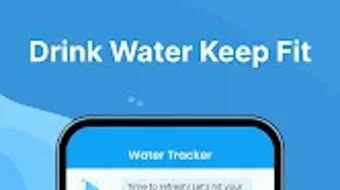

Download Water Tracker – hydration tracker, water intake app, daily water goal, healthy hydration habits, personalized water goals, water reminder app, wellness app, fitness tracker, water consumption tracker, health monitoring tool
Overview
Water Tracker is a dedicated hydration management tool designed to help users maintain consistent and healthy water intake habits. The software aims to address the common challenge of underhydration by providing structured support through customizable daily goals, smart reminders, and visual progress tracking. It is particularly suited for individuals who engage in regular physical activity, such as gym-goers, yoga practitioners, and runners, as well as those seeking to improve their overall wellness through better daily habits.
The app supports personalization based on user-specific factors including age, weight, and gender, allowing for more accurate hydration recommendations. Additionally, it adapts goal suggestions according to environmental conditions like weather, enhancing its relevance across different climates. Users can review their consumption patterns over various timeframes—daily, weekly, and monthly—using intuitive graphs and statistical summaries.
The inclusion of gamified elements such as challenges and achievement badges adds motivation to long-term usage. Designed as a free tool, Water Tracker offers core functionality without cost, with optional in-app purchases for enhanced features. The developer did not provide additional details about the company or its background beyond the app’s name.
Key Features & Capabilities
- Personalized Water Goals: The app calculates daily water intake recommendations based on individual user data such as age, weight, and gender, enabling tailored hydration targets.
- Smart Reminders: Customizable alerts help users remember to drink water throughout the day, supporting consistent consumption habits.
- Progress Tracking with Visual Reports: Users can monitor their intake over time using detailed charts and statistics, including daily, weekly, and monthly summaries.
- Weather-Adaptive Recommendations: The system adjusts hydration goals based on current weather conditions, helping users respond to environmental demands.
- Challenges and Achievement Badges: Gamification elements encourage sustained engagement by rewarding consistent use and milestone achievements.
- Simple Consumption Logging: Users can quickly record water intake with one tap, streamlining the tracking process.
These features collectively support users in building and maintaining healthy hydration routines. For example, a runner preparing for a race may use the weather-adaptive goal feature to increase intake during hot days, while a busy professional might rely on smart reminders to avoid skipping drinks during work hours. The app’s interface allows for efficient logging and real-time feedback, making it practical for daily use in both personal and active lifestyles.
User Interface, Workflow & Performance
The user interface of Water Tracker is designed with simplicity and accessibility in mind, featuring a clean layout that prioritizes ease of navigation. Core functions such as logging water intake and viewing progress are accessible through intuitive icons and clearly labeled sections. The workflow is streamlined, allowing users to record consumption with minimal effort—typically a single tap to add a standard serving.
The app maintains a consistent visual theme, using color-coded indicators to reflect progress toward daily goals. Navigation between daily summaries, weekly reports, and settings is smooth, with minimal lag observed during standard use. The developer did not specify resource usage details, so exact performance metrics such as CPU or RAM consumption remain unknown.
Stability appears to be maintained under typical usage conditions, with no reported issues related to crashes or freezes. Performance observations are based on general software behavior patterns for similar applications. The app functions reliably across a range of Android devices, though specific hardware compatibility was not detailed.
Compatibility & System Requirements
Water Tracker is designed for Android operating systems, with version 2.5.1 currently available. The installation size is 28.7 MB, indicating a lightweight footprint suitable for devices with limited storage. The developer did not provide additional system requirements, so exact compatibility with older or newer Android versions is unclear.
Users should ensure their device runs a supported version of Android, though the specific minimum version was not listed. Hardware requirements such as RAM or processor specifications were not disclosed. Compatibility information was partially provided, leaving some aspects of device support open to interpretation.
The app is intended for mobile use, and no desktop or alternative platform versions are mentioned. For users seeking a secure and lightweight hydration tool, the app’s size and platform focus suggest it is optimized for mobile environments.
Pros and Cons
Pros
- Free to download and use with no upfront cost
- Personalized hydration goals based on age, weight, and gender
- Smart reminders help maintain consistent water intake
- Weather-adaptive goal adjustments improve relevance
- Visual progress tracking with daily, weekly, and monthly reports
- Gamified challenges and badges boost user motivation
- Simple one-tap logging for quick entry
Cons
- Only available on Android, with no support for other platforms
- Exact system requirements and compatibility details were not listed
- Resource usage and performance under heavy load were not specified
- Optional in-app purchases may limit full feature access without cost
- App is not available for desktop or PC users
FAQ Section
Is Water Tracker available for iOS or Windows?
Based on current information, Water Tracker is only available for Android devices. There is no official version for iOS, Mac, or PC platforms.
Is the app safe to use and does it collect personal data?
The app is designed to support health monitoring and may collect user data such as age, weight, and intake history. Specific privacy policies or data handling practices were not provided in the available information.
Are updates available for Water Tracker?
Yes, the app has been updated to version 2.5.1, with the latest release date being March 15, 2024. Regular updates are likely to improve functionality and fix potential issues.
Can I use Water Tracker offline?
While the app’s offline capabilities were not specified, many similar hydration tools allow basic tracking without an internet connection. Users may be able to log water intake and view progress without connectivity.
What is the license type for Water Tracker?
Water Tracker is offered as a free application with optional in-app purchases. The license type is not explicitly defined, but it operates under a freemium model, where core features are free and advanced tools require payment.
Final Thoughts
Water Tracker delivers a focused and user-friendly solution for individuals aiming to improve their hydration habits. Its combination of personalized goals, smart reminders, and visual reporting makes it a practical tool for daily health management. The inclusion of weather-based adjustments and gamified elements enhances its effectiveness and long-term engagement.
While the app is limited to Android and lacks detailed system specifications, its lightweight design and intuitive interface make it accessible to a broad audience. It is especially beneficial for active users and those seeking simple, consistent support in maintaining wellness. For anyone looking to stay hydrated with minimal effort, Water Tracker offers a reliable and accessible option.
Download Water Tracker now.







